Helpdesk
2 minute read
How to Enable txAdmin on Your FiveM Server
Introduction
txAdmin is a fully-featured web panel that is completely free to use, designed for managing and monitoring your FiveM server. It offers a wide range of features to make server management as easy as possible. Setting up txAdmin is entirely free, allowing you to begin your journey with the simplest yet most functional FiveM server web panel.
Enabling txAdmin
Using the txAdmin panel makes managing your FiveM server a lot easier, enabling seamless management for your staff and development team.
To enable txAdmin, you need to add another port to your server and enable it.
-
Go to the Settings tab in the RocketNode Panel.
-
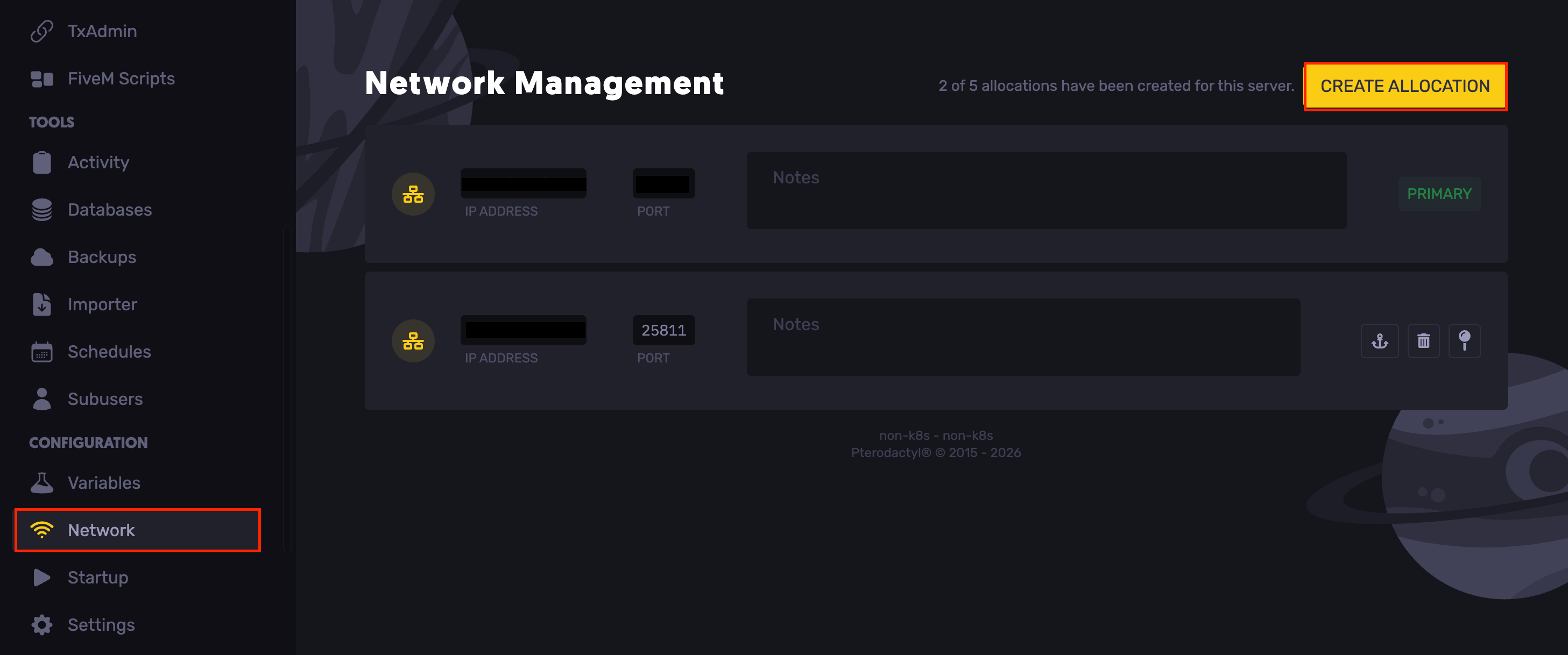
Head over to the Network tab.
-
Click Create Allocation and note the numbers in the Port section of the allocation you just created.
-
Go to the Server Startup section in the RocketNode Panel.
-
Set the created port under the txAdmin Port field.
-
Restart your server.
-
Click on txAdmin on the panel to access it.
First Time Access to txAdmin
For the first time, access to txAdmin, you have to enter a PIN and link your CFX account.
-
Access your RocketNode Panel.
-
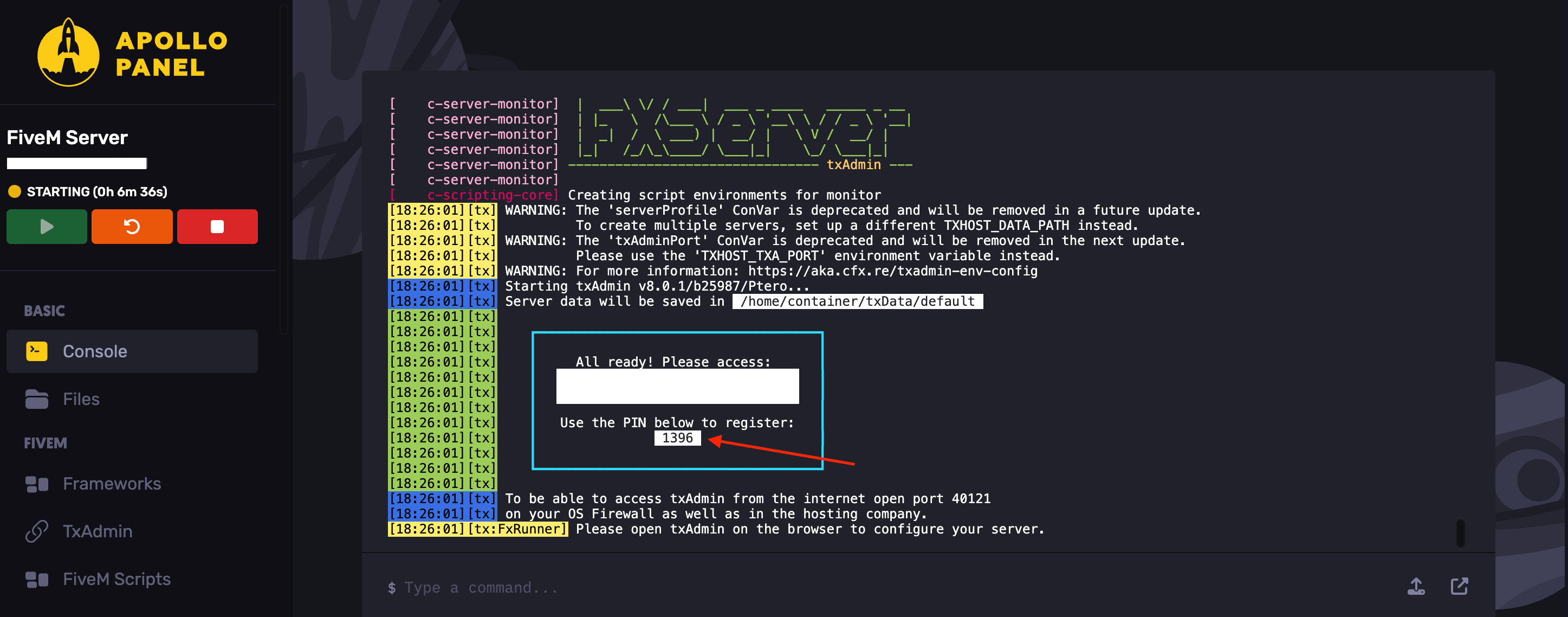
In the console, find the PIN labeled Use the PIN below to register. Enter this PIN in your txAdmin to verify ownership.
-
Enter the PIN and click Link Account. You will have to log in to your CFX account, using the same one you used to get your FiveM License Key.
Find out more about FiveM server hosting with the help of our Knowledgebase articles that can be found here. For any questions please contact the support team via Discord or on-site Tickets.
your hosting partner
RocketNode offers fast and affordable game and VPS hosting solutions on reliable and efficient hardware with AMD Epyc architecture and NVME storage to assure high performance.
See games & pricing