Web Hosting4 min read
How to Create a Subdomain
Create a subdomain like blog.yourcompany.com, decide whether it should be part of your existing site or its own, and fix DNS and certificate problems.

A subdomain is an address that sits in front of your domain: blog.yourcompany.com, shop.yourcompany.com, staging.yourcompany.com. You don't register or pay for them, and you can create as many as your plan allows.
They're useful when you want something to live separately from your main site: a staging copy you're testing, a shop running on different software, a client preview, an application that isn't part of the website.
Decide this first
Before you create it, decide whether the subdomain should be part of your existing site or a site of its own. This choice is harder to change later than it is to get right now.
-
Part of the existing site. The subdomain points to the same files as your main domain, or to a folder inside them. It shares the same PHP version, the same database, and the same backups. Good when your application handles the subdomain itself, such as a multisite setup.
-
A separate site. The subdomain gets its own folder, its own PHP version, its own databases and its own backups. It behaves like an independent website that happens to share a domain name. This is what you want for a staging copy or for software that has nothing to do with your main site, and it's the safer default: what you break on one can't affect the other.
One other thing worth settling early: a subdomain is not the same as a folder. blog.yourcompany.com and yourcompany.com/blog are both valid, but they're different addresses, and you can't switch between them later without redirects. If your content is closely tied to the main site, a folder is usually the better choice for search visibility.
Before you start
The domain needs to be on your account already.
Where its DNS is managed decides how much work this takes. If the domain uses our nameservers, the record for the subdomain is created automatically, and there's nothing else to do. If DNS is managed somewhere else, at your registrar or at a service like Cloudflare, you'll have to add a record there yourself pointing the subdomain to this server. Nothing you do in the panel will make it resolve otherwise.
Steps
- Log in to your hosting panel and click Websites in the left-hand menu.
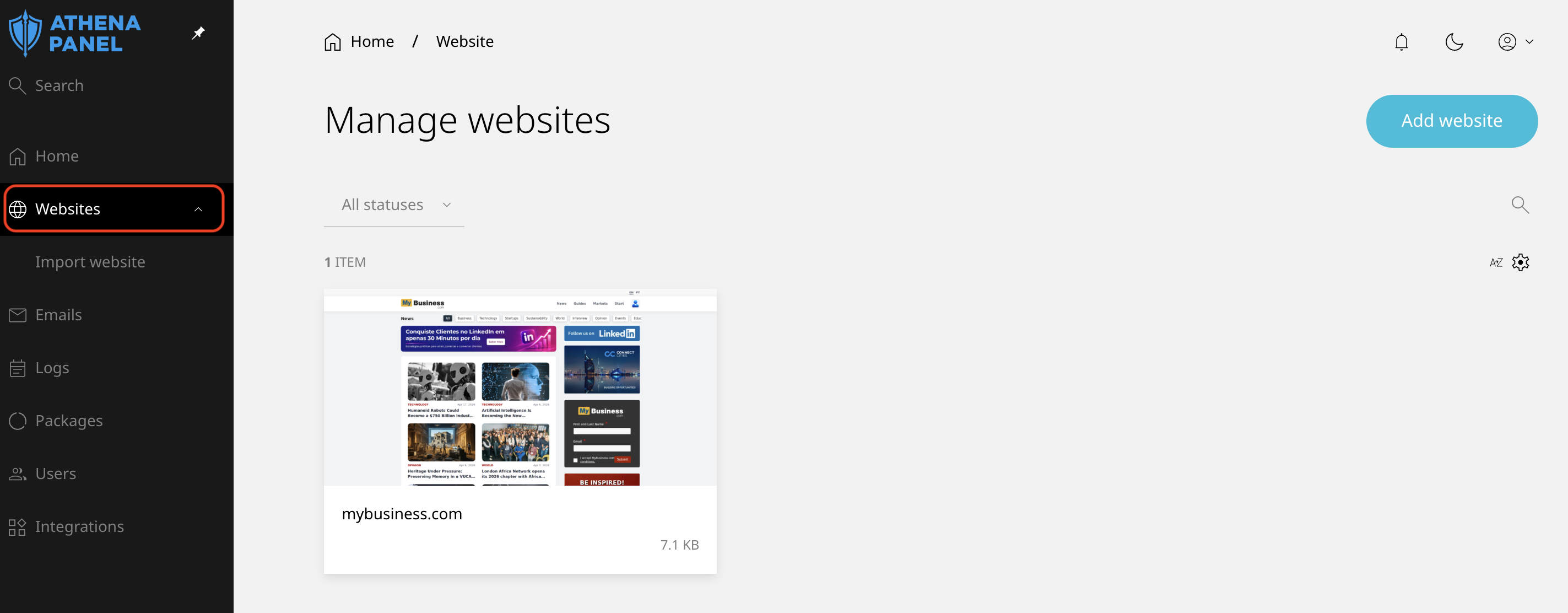
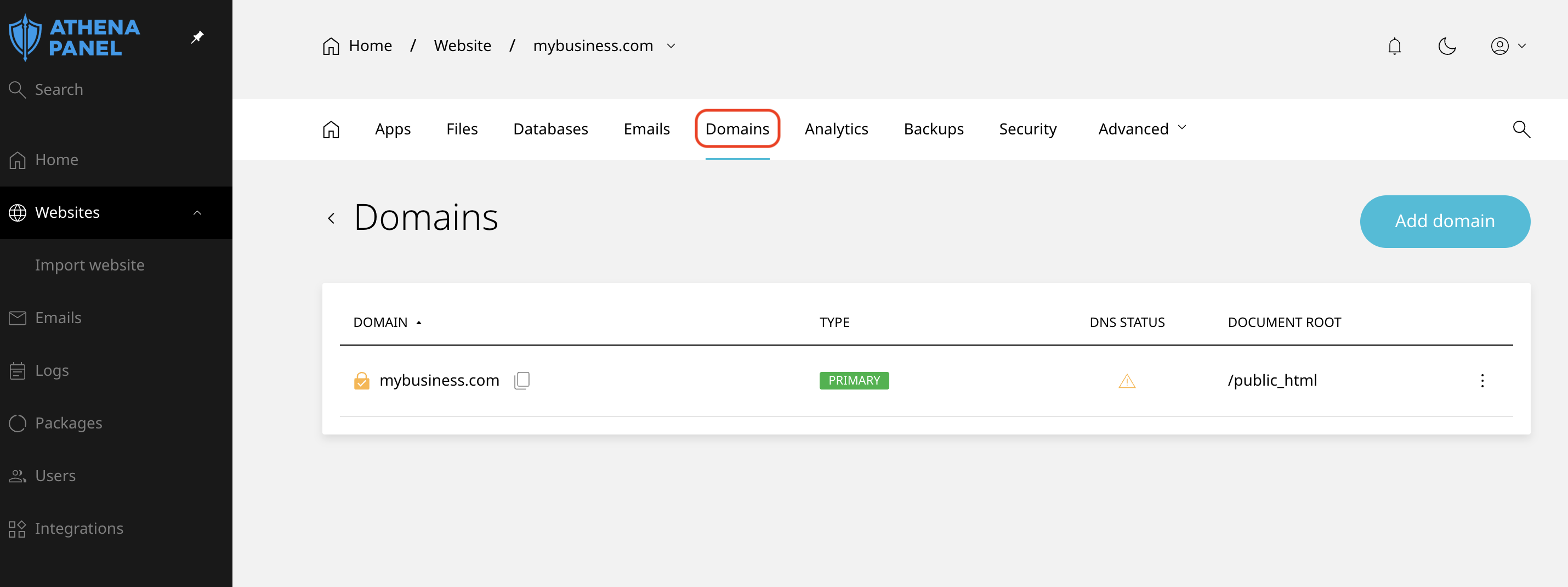
- Click on the website for which you want to create the subdomain, then go to the Domains tab.
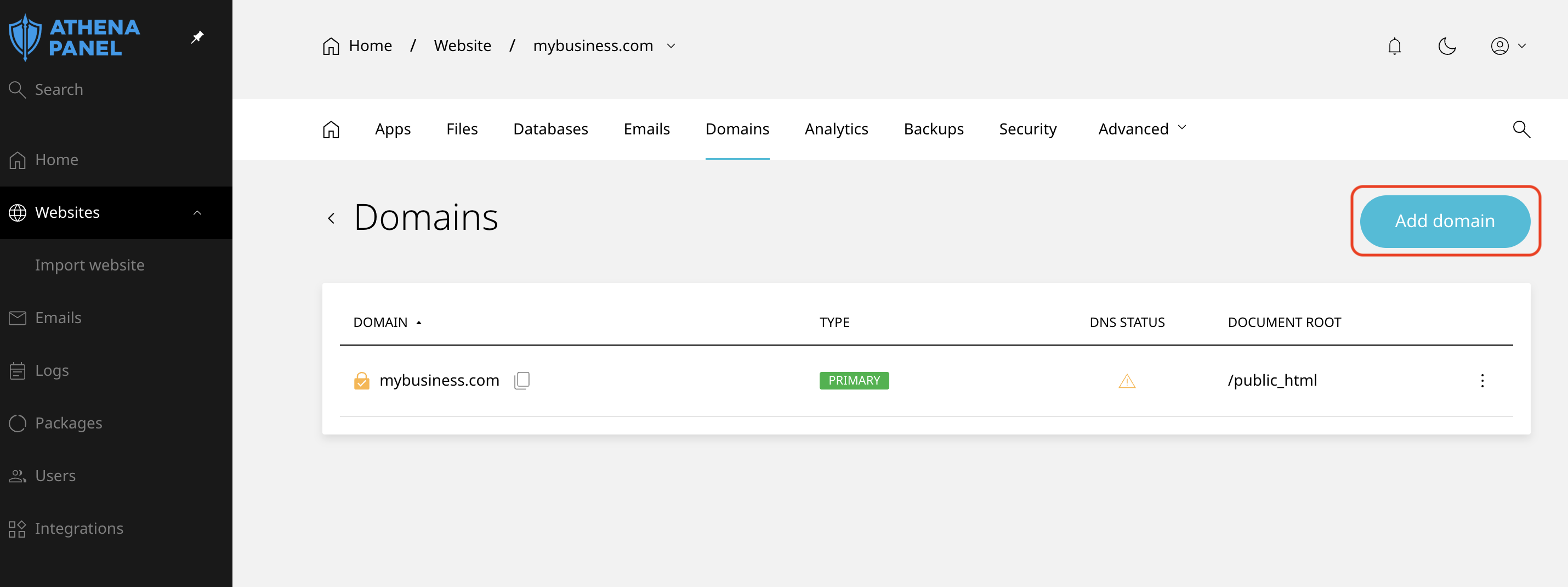
- Click Add domain to add an additional domain or subdomain.
- Enter the subdomain name and then click Save.
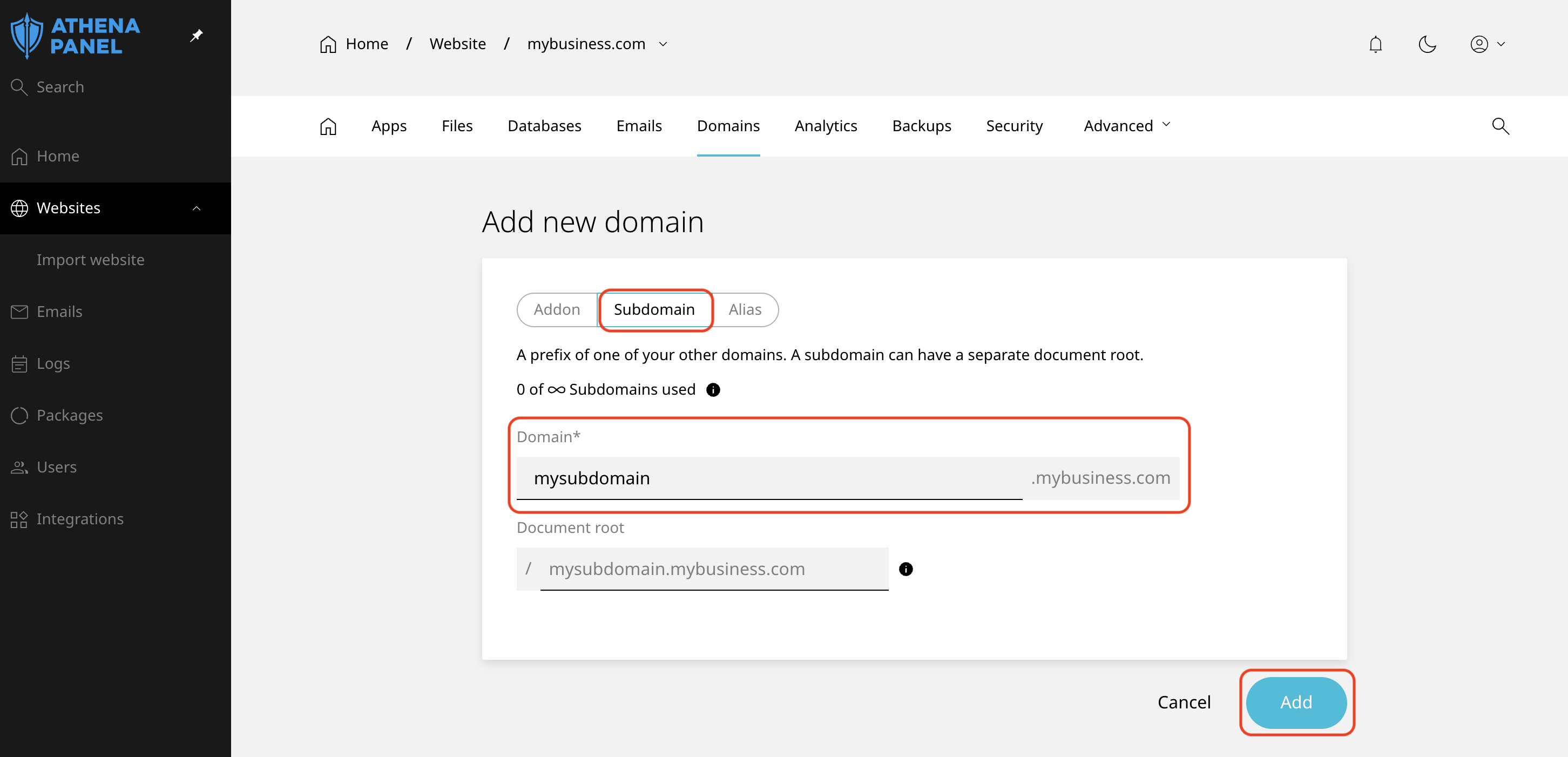
The subdomain is live within seconds if your DNS is managed here. A certificate is normally issued automatically shortly afterwards, once the name resolves.
How to check it worked
Open the subdomain in a private browsing window.
If you created it as a separate site, expect a placeholder page until you put something there. If you pointed it at your existing site, expect to see that site's content, which is correct behaviour rather than a mistake.
Check the padlock too, though give it a few minutes. Certificates can only be issued after the name resolves publicly, so a brand new subdomain often loads over HTTPS a little later than it starts loading at all.
Common problems
-
The subdomain doesn't resolve at all. Either DNS is managed outside our nameservers, and no record was added there, or the record was added a few minutes ago and hasn't propagated. Check the domain's DNS first, then wait. Testing on mobile data instead of the same network often shows you the truth sooner.
-
"Not secure" or a certificate warning. The certificate hasn't been issued yet, which requires the subdomain to be publicly resolving. Wait an hour after it starts loading. If it's still warning after that, open a ticket.
-
It shows your main website instead of the new one. The subdomain is pointing at the same document root as your main domain. If you wanted them separate, remove it and create it as its own site.
-
You wanted
yourcompany.com/blogand made a subdomain instead. They're different addresses, and there's no toggle between them. Delete the subdomain and install the application into a folder of the main site, or keep the subdomain and add redirects if the content is already indexed. -
Email doesn't work on the subdomain. Mail for a subdomain needs its own MX records and mailboxes, and doesn't inherit anything from the main domain. Most people don't need this, but if you do, set it up explicitly.
-
You've hit a limit. Plans cap how many domains and sites you can have. If the add button refuses, check your usage before assuming something is broken.