Web Hosting4 min read
How to Access and Use Webmail
Open your mailbox in a browser, log in with the right credentials, get around the interface and fix common webmail problems.

Webmail is your mailbox in a browser. Nothing to install, nothing to configure, and it works from any computer: useful when you're travelling, when you're on someone else's machine, or when you just want to check something quickly.
It's also the most useful diagnostic tool you have for email problems. If a message is visible in webmail but not on your phone, the mail arrived, and the server is fine, so the problem is your phone's configuration. If it isn't in webmail either, it never got here. That one check saves a lot of guesswork.
Getting in
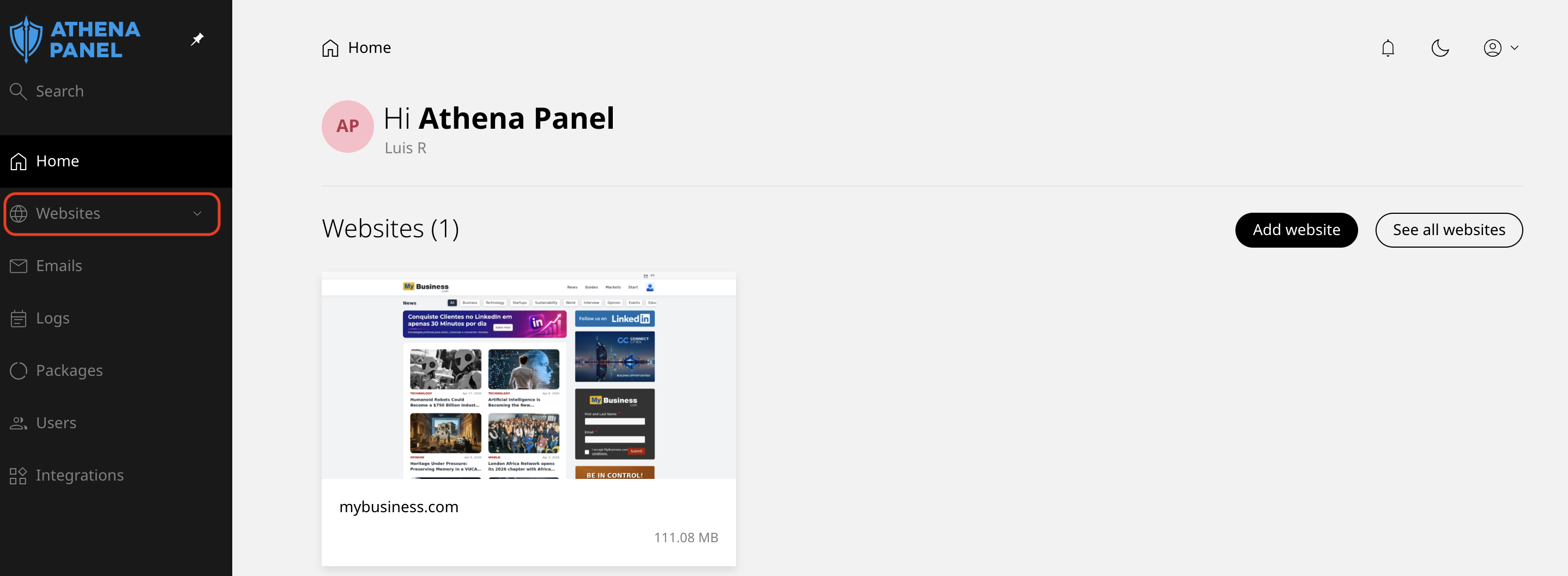
- Log in to your hosting panel and click Websites in the left-hand menu.
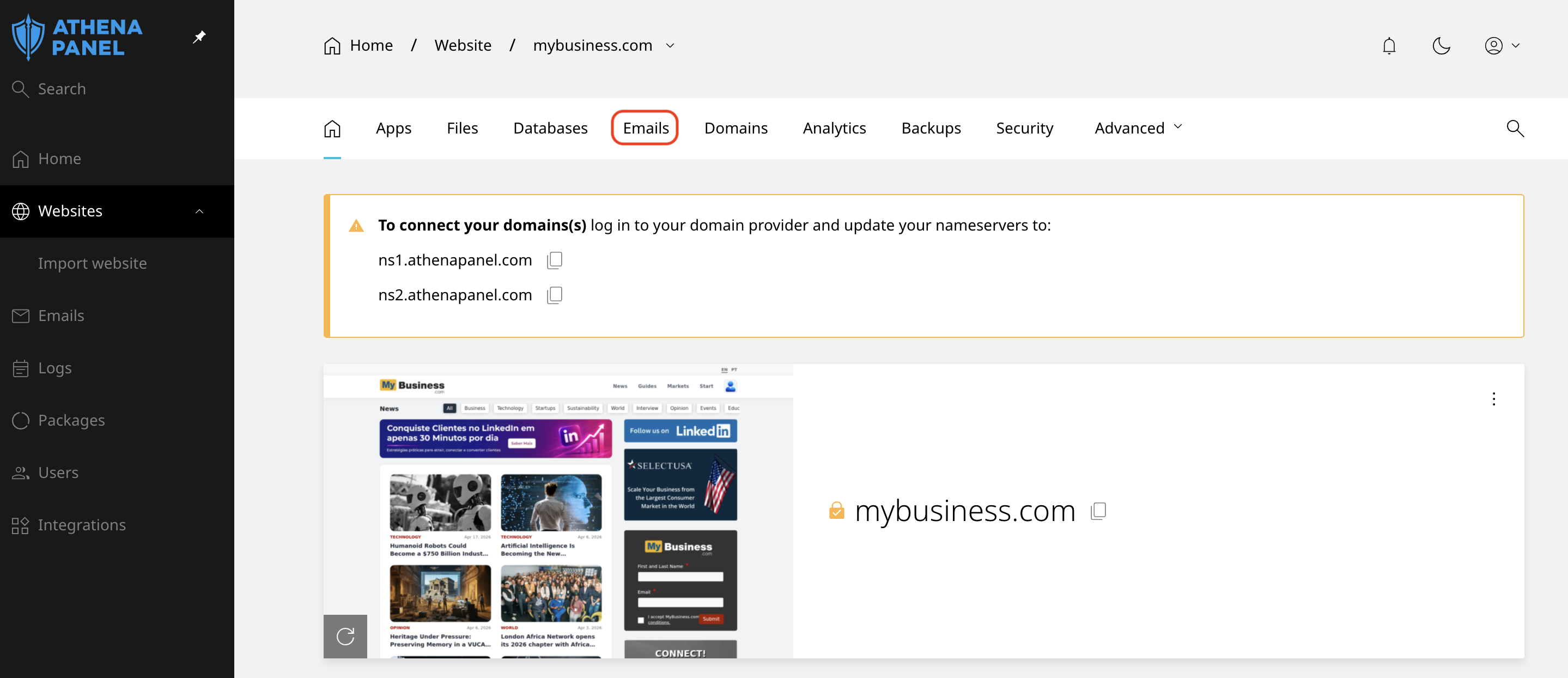
- Click the site, then open the Emails tab.
- Use the webmail link next to the mailbox you want to open.
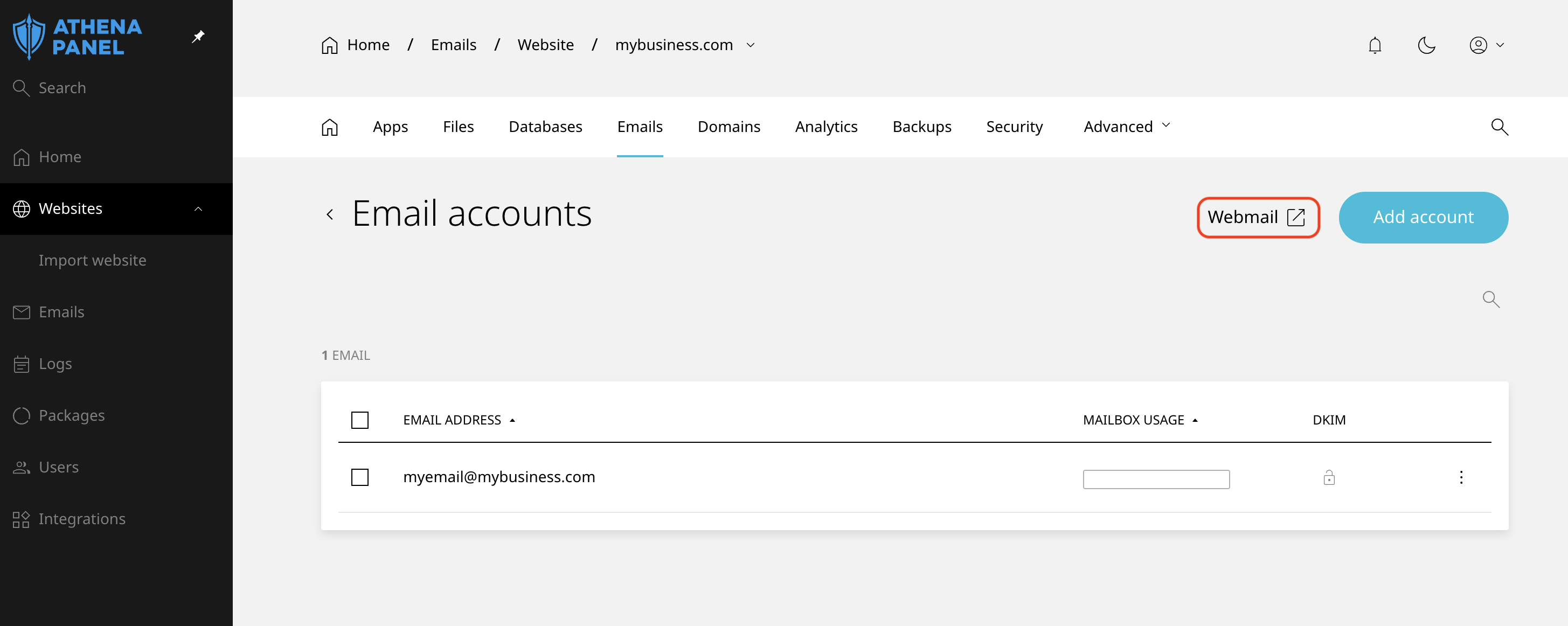
Once you know the address, you can bookmark it and skip the panel entirely.
Log in with the full email address as the username, [email protected] rather than just luis, and the mailbox password. That's the password set when the address was created, not your hosting panel password. Mixing those two up is the most common reason a first login fails.
Finding your way around
The layout is what you'd expect: a folder list, a message list, and the message itself.
Inbox, Sent, Drafts, Trash and Junk are the folders that matter. They live on the server, which means they're the same folders your phone and your computer see, provided those are set up with IMAP.
Compose opens a new message. Attachments go in with a paperclip button or by dragging files onto the window.
Search covers the folder you're currently in by default. If you're hunting for something old and not finding it, check whether the search is limited to the inbox, and widen it to all folders.
Settings is where two things are worth doing once, so your messages don't go out looking anonymous:
-
Set your display name, so recipients see your name rather than just the address.
-
Set a signature, so you're not typing your details at the end of every message.
Deleting is shared
Anything you delete in webmail is deleted on the server, which means it disappears from your phone and your computer too. There's no separate copy.
The same applies in reverse. It's one mailbox seen from several places, not several mailboxes.
On a shared computer
Log out when you're finished rather than just closing the tab, and don't tick any option to stay signed in. A closed tab often leaves the session alive for whoever sits down next.
How to check it worked
Send a message to an outside address you control, Gmail for instance, and reply to it from there. If both directions work in webmail, the mailbox itself is healthy and anything still failing on your devices is a setting on those devices.
Common problems
-
Your password is rejected. Three usual causes, in order of likelihood: you're using the hosting panel password instead of the mailbox password, you entered only the part before the @ rather than the full address, or the password was recently changed and the browser autofilled the old one. Try a private window and type it by hand.
-
The webmail address doesn't load at all. If you're using an address based on your own domain, it depends on the domain's DNS pointing here. Use the link in the panel instead, which always works.
-
Your inbox is empty, but mail is definitely being sent to you. Check the Junk folder. If it's empty too, and you use a mail program set up with POP3, that program has probably downloaded everything and removed it from the server. Webmail can only show what's still here, so the messages are sitting on that computer. Switching the account to IMAP keeps everything on the server and visible everywhere.
-
Messages you sent from your phone don't appear in Sent. The phone is saving them locally instead of to the server folder. In the account's advanced settings on the device, point the Sent folder to the server's.
-
An attachment is rejected as too large. Mail has size limits everywhere along the chain, and large files bounce even when your side accepts them. Send a link to the file instead.
-
You're logged out constantly. Sessions expire after a period of inactivity, which is intentional. If it happens within minutes rather than hours, check whether your browser is blocking cookies for the site.
-
Everything looks wrong after a password change. Webmail uses the mailbox password, so it needs the new one, as does every mail app on every device. Repeated failed logins from an app still holding the old password can temporarily lock the mailbox.