Palworldless than a minute read
How to Transfer Your Palworld Local Save to Your Server
Easily transfer your Palworld local save to your server with our step-by-step guide. Follow these instructions to ensure a smooth transition. Read more!

Many players want to know how to transfer your Palworld local save to your server so they can continue their progress without starting over. Moving your local save to a dedicated server lets you and your friends keep your existing world, player data, and world save while enjoying the benefits of a hosted Palworld server, such as 24/7 uptime, improved performance, and easier multiplayer access.
Transferring a Character
We will be using this tool.
-
Navigate to the Tools tab and open Character Transfer.
-
Select the save you want to transfer from and the save you want to transfer to.
-
Transfer either one player or all players.
Uploading A Palworld Local Save File To A Palworld Server
Ensure you create a backup before making any changes to the server. Follow this guide to create a backup
To upload a local co-op save:
-
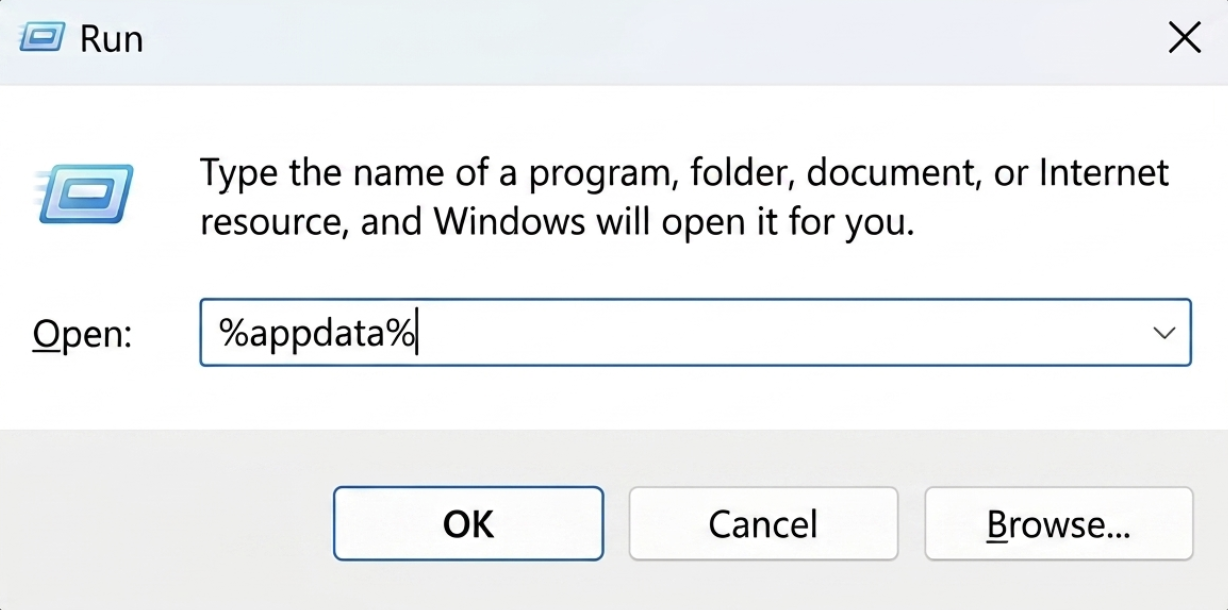
On your Keyboard, click "Windows + R" and search for `%appdata%`
-
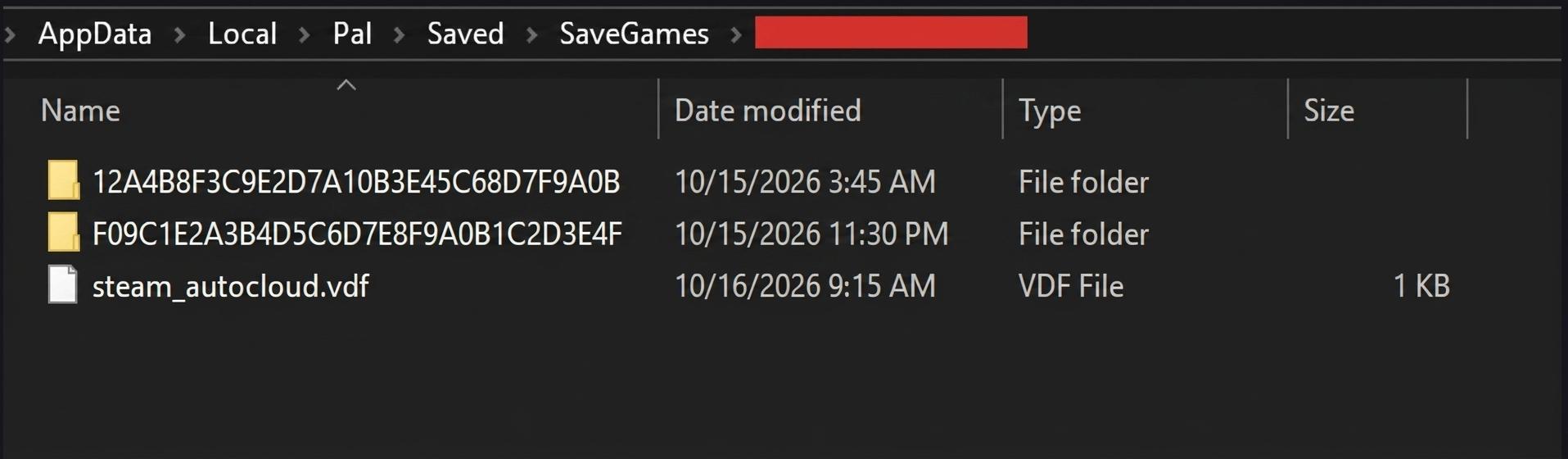
Open the `Local` folder
-
Navigate to the `Pal` folder, then to the `Saved` directory.
-
Locate the `SavedGames` folder.
-
Now, there will be a folder named after your Steam ID, which has a lot of numbers.
-
Open the desired save and compress the files inside.
-
Access the RocketNode panel.
-
Stop the server.
-
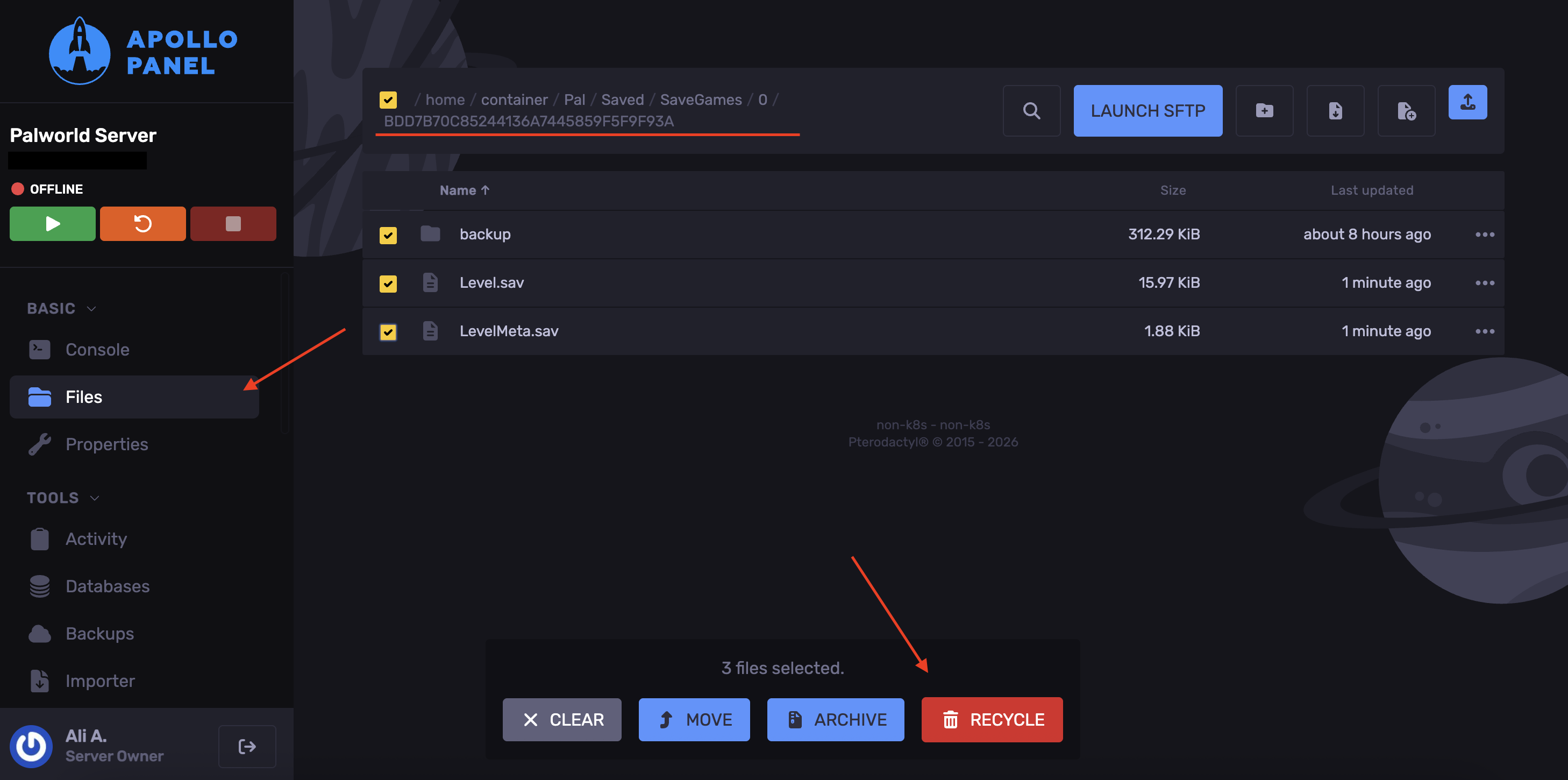
In the Files tab, navigate to the following directory: `/Pal/Saved/SaveGames/0`
-
Open the save folder and delete the files inside.
-
Upload the files you've compressed.
-
Extract the compressed file.
-
Start the server.
Installing a Palworld Save From A Dedicated Server
-
Access the RocketNode panel.
-
Stop the server.
-
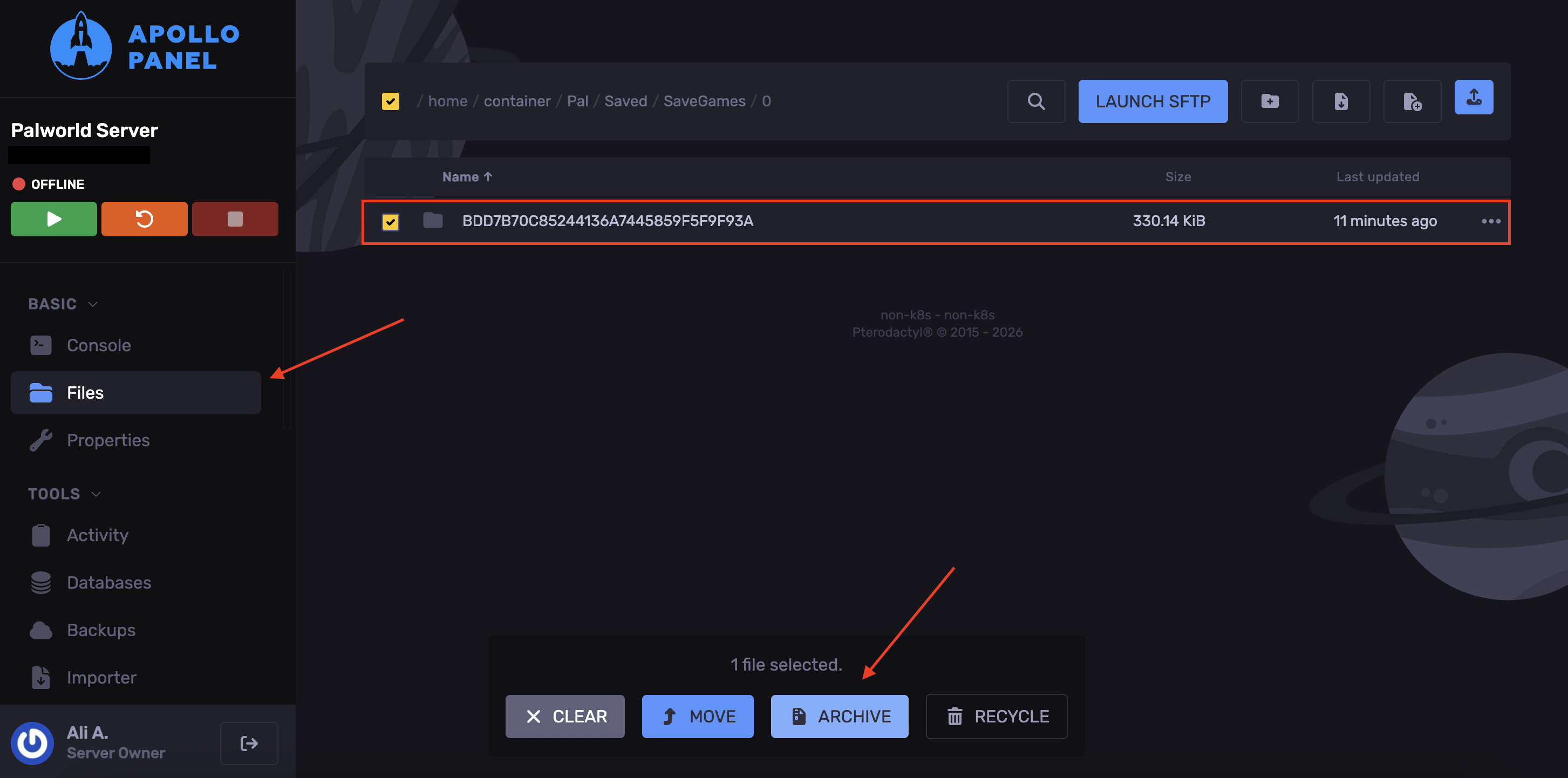
Navigate to the following: `Pal/Saved/SaveGames/0`
-
Select the save folder and hit Archive.
-
Install the archived file to your local machine.