Minecraftless than a minute read
How to Turn Off Online Mode
In this guide, we’ll show you how to disable online mode for your minecraft server.

Disabling online mode on a Minecraft server lets it run without verifying players against Mojang’s authentication servers, allowing cracked/offline clients to join your server.
Players can also change their usernames to join the server using a different user's account. Please ensure you install an authentication system such as:
-
The AuthMeReloaded plugin
-
The EasyAuth Fabric mod
-
The Nedologin or SimpleLogin Forge mods
Disabling online mode also prevents skins from loading in. To restore profile skins, you will need to install:
-
The SkinsRestorer plugin
-
The FabricTailor or Everlasting Skins for modded servers.
Turning Off Online Mode
To turn off online mode:
-
Access the RocketNode Panel.
-
Stop the server.
-
In the Files tab, open the `server.properties` file.

-
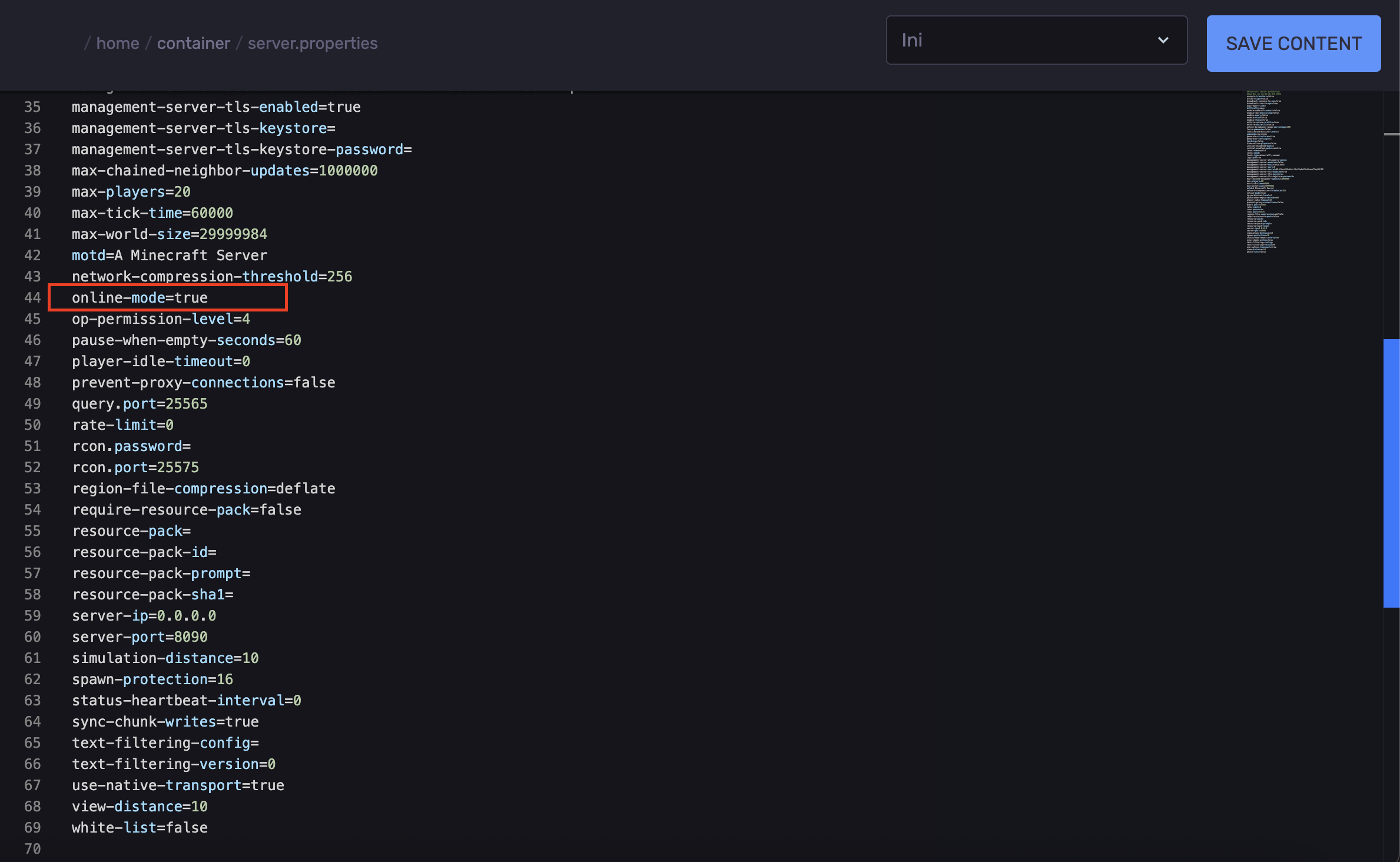
Locate the `online-mode=true` line.
-
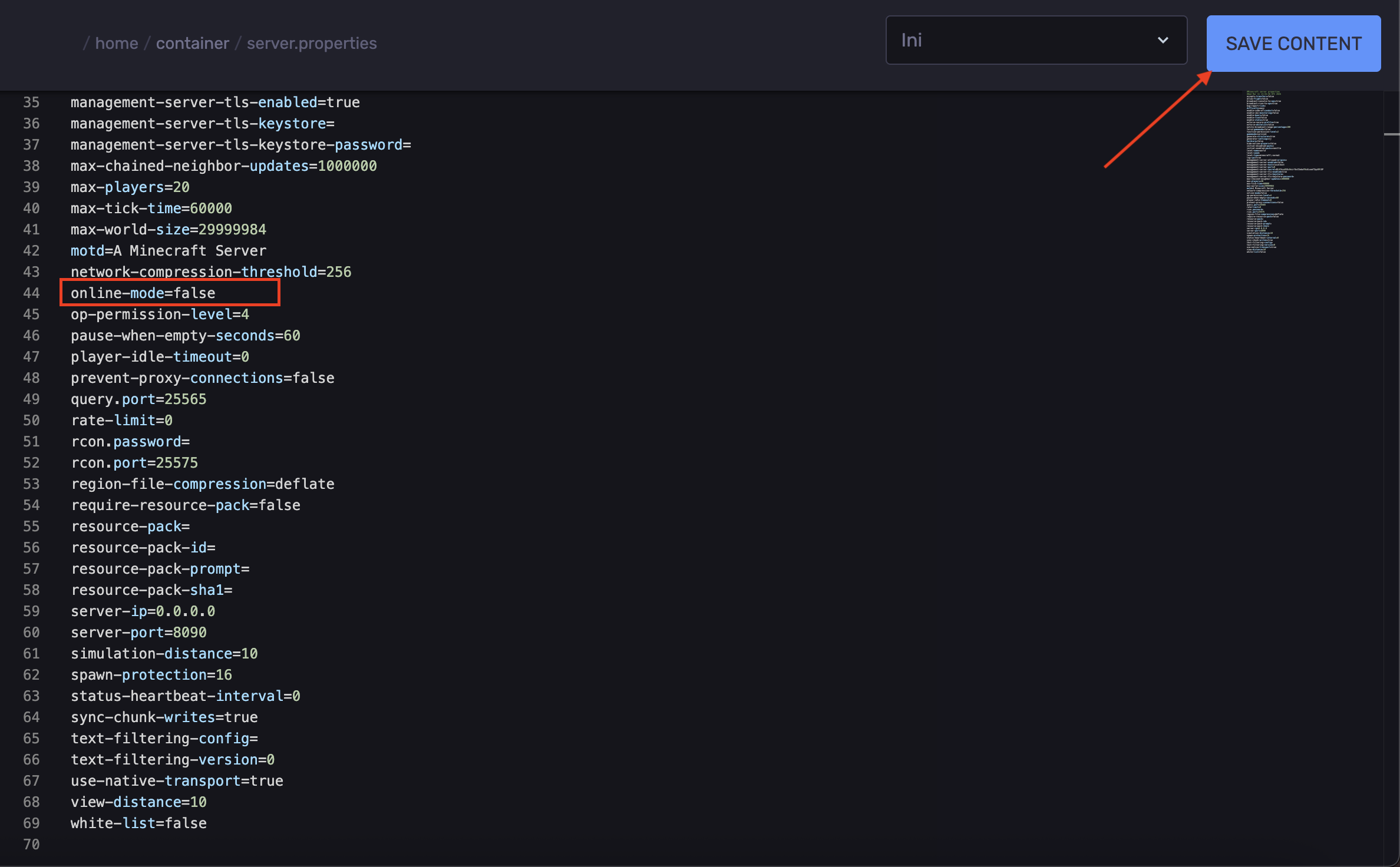
Set it to `online-mode=false`
-
Save the changes.
-
Start the server.
Find out more about Minecraft server hosting with the help of our Knowledgebase articles that can be found here. For any questions please contact the support team via Discord or on-site Tickets.