

 Garry's Modless than a minute read
How to Join your Garry's Mod Server
Learn how to easily connect to your own server.

RocketNode Staff
To connect to your Garry’s Mod server, you will first need to obtain the server’s IP address.
Getting the Server’s IP
- Go to RocketNode’s Game Panel and log in.
- Select your Garry’s Mod server.
- Go to the Console tab, make sure the server’s status is Online.
- Copy the IP address.

Connecting to Your Garry’s Mod Server
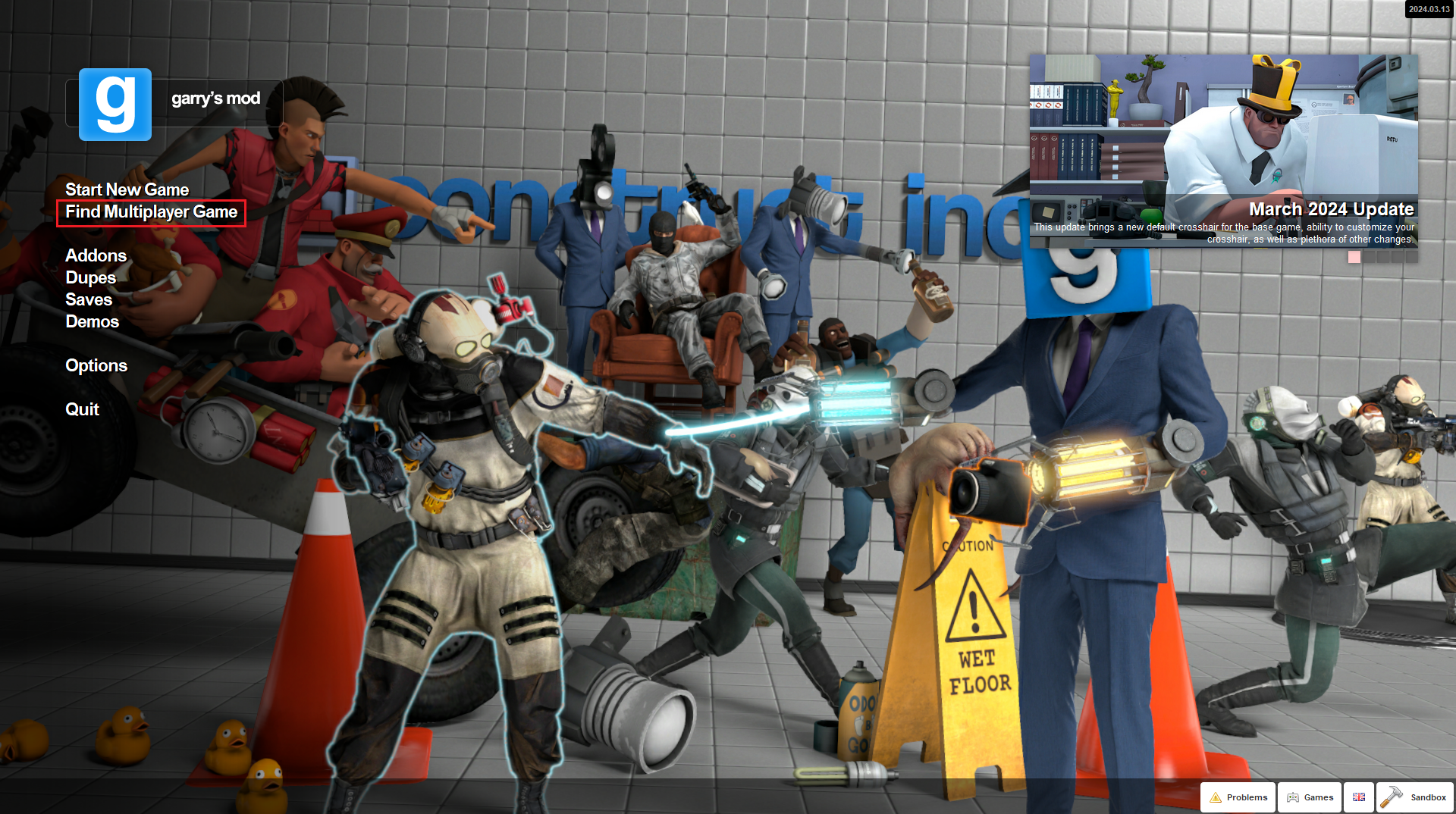
- From the Main Menu, click on Find Multiplayer Game
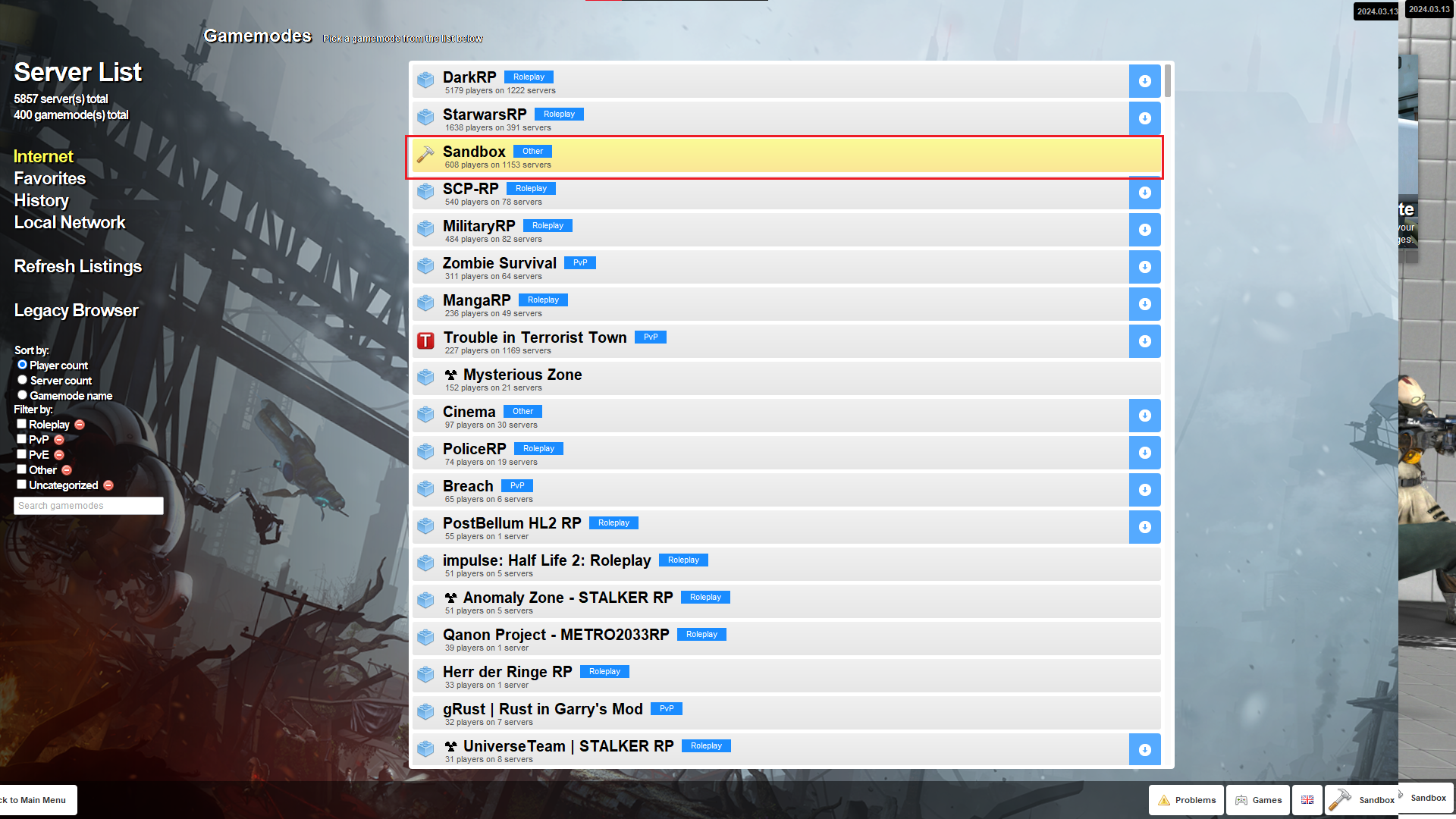
- Select the server’s gamemode. In this case, it’s Sandbox.
- Type the server’s name in the box on the top right and it will appear.
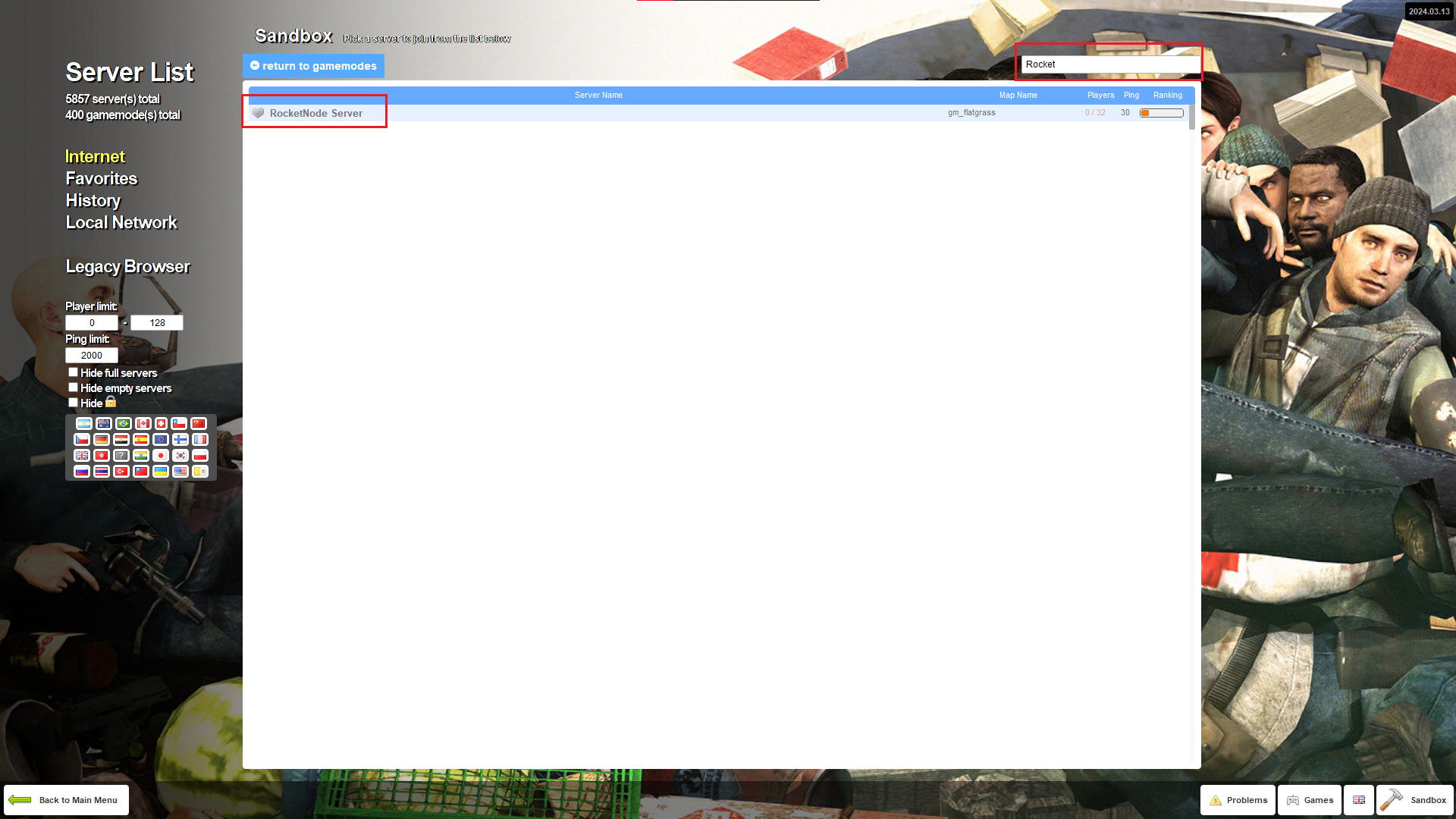
- Press on the server and then on the Join Server button.
NOTE: In order to add your server to Favorites, just press on the gray heart on the left of the server’s name. Once the heart becomes red it means the server has been added. In order to access the Favorites servers, just go to the Favorites tab.
Connecting Through Steam
-
Copy your server’s address.
-
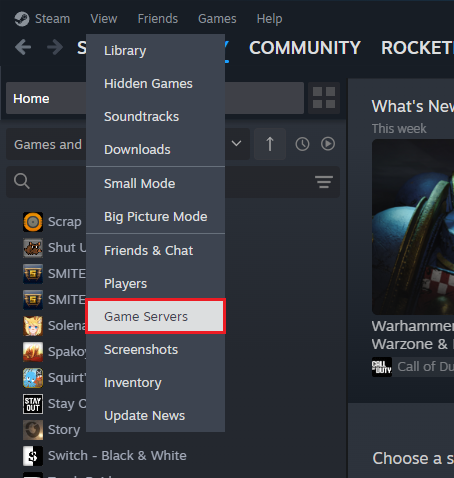
Go to your Steam Client and at the top left press on View > Game Server
-
Click on the Favorites tab and than on the
+button.
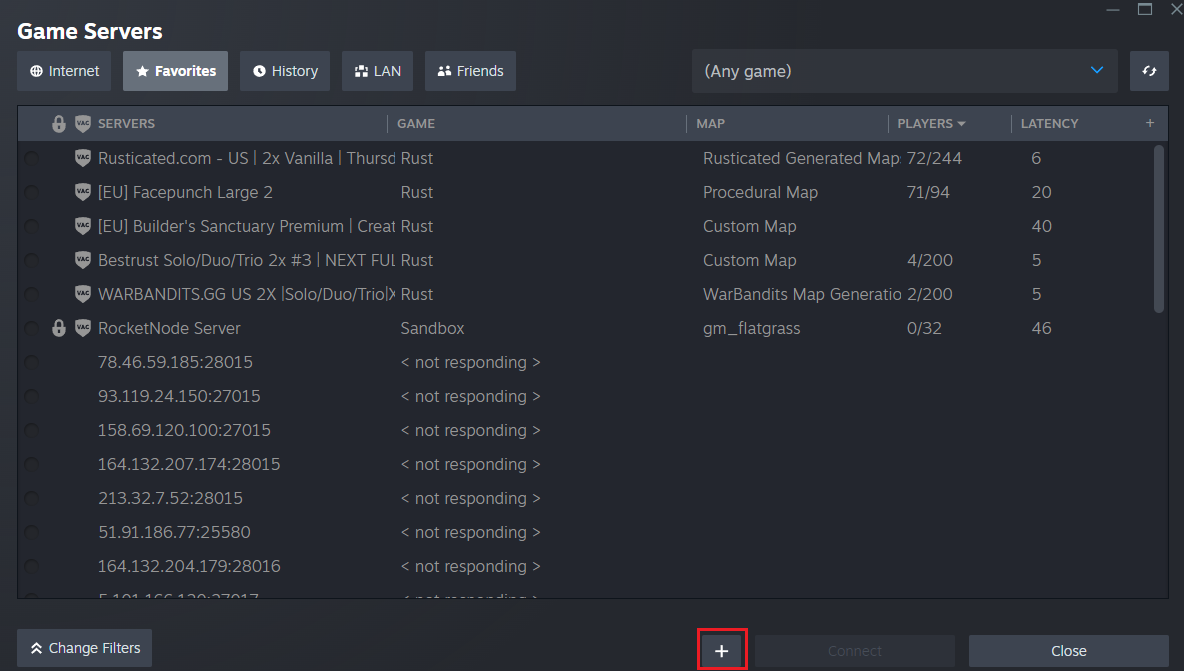
- Paste the IP:Port in the window opened. and click OK.
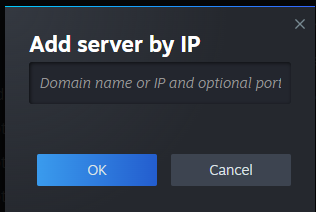
- Look through the list and click on your server to connect.
Find out more about Garry’s Mod server hosting with the help of our Knowledgebase articles that can be found here. For any questions please contact the support team via Discord or on-site Tickets.
