FiveMless than a minute read
How to Add Weapons to a FiveM Server
Learn how to add custom weapons to your FiveM server by uploading a weapon pack to your resources folder and loading it in your server.cfg.

How to Add Weapons to a FiveM Server
Learning how to add weapons to a FiveM server is one of the easiest ways to give your players a unique experience in GTA. Custom weapons let you go beyond the default list in the game, with new guns, components, and attachments that your players can spawn in-game. Most come as a resource that includes a stream folder and a few meta files, which you place in your server's resources folder and load through your cfg file. It's a great way to make your FiveM server stand out, and with the right setup, all the weapons you add will work correctly for everyone who joins.
To add weapons to your FiveM server, follow the steps below:
-
Access the RocketNode Panel.
-
Stop the server.
-
Download a weapon pack.
-
Navigate to the following directory:
txData/<your server folder>.base/resources -
Open the
[weapons]folder.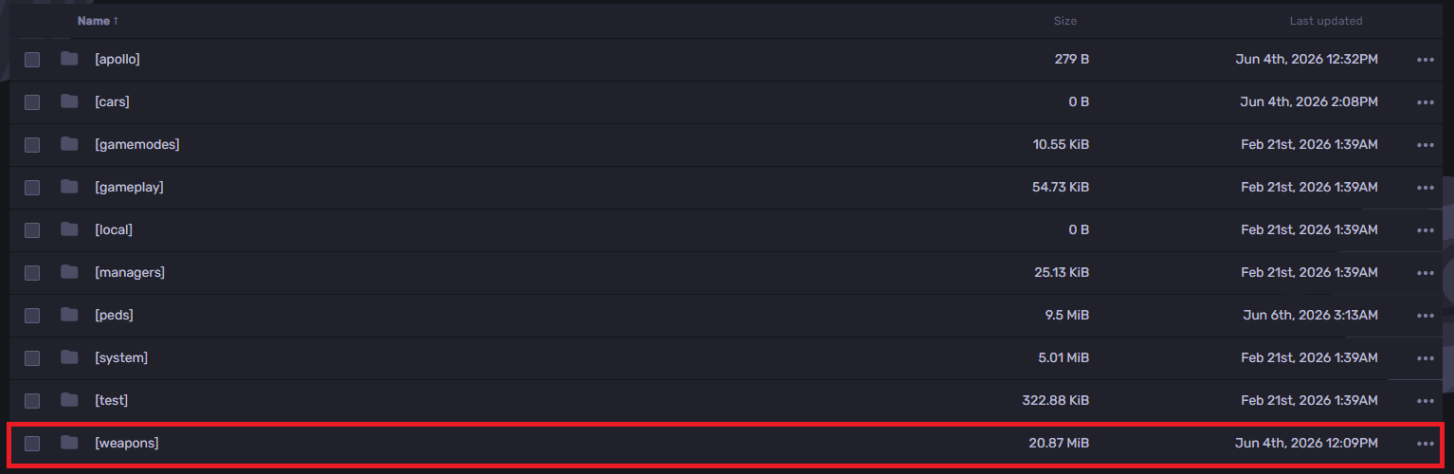
-
Upload the weapon packs and extract the zip file.
-
The weapon pack folders are
ak47,deagle,glock19, andmp5.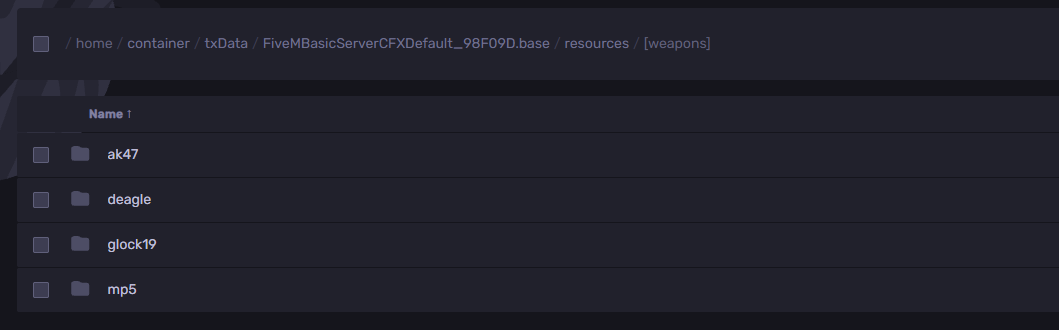
-
Go back to the .base folder and open the
server.cfgfile.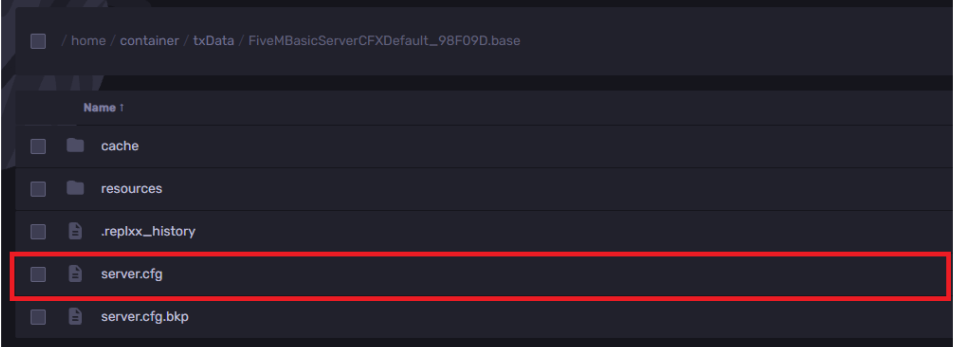
-
Add a new line with a
#guncomment, then add anensureline for each weapon pack under it, as shown in the example below: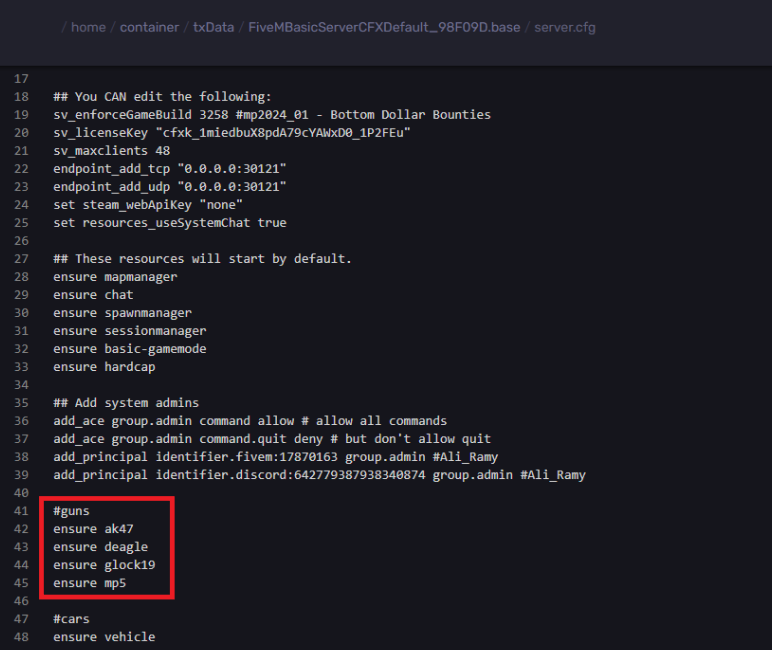
Following each
ensureis the exact weapon folder name. -
Hit Save Content.
-
Start the server.
Find out more about FiveM server hosting with the help of our Knowledgebase articles that can be found here. For any questions please contact the support team via Discord or on-site Tickets.