

 Ark SEless than a minute read
How to Add Admins to your ARK Server
Learn how to assign admin permissions to a player.

RocketNode Staff
Administrators of ARK: Survival Evolved servers wield a variety of permissions and admin commands to assist in server management. They have the capability to kick and ban players, enable flying, and employ cheat commands to facilitate smooth and effective server oversight.
Adding an Admin
- Go to your ARK Server Panel and make sure the server is off.
- Navigate to File Manager > ShooterGame > Saved.
- Create a new file by pressing on the New File button.
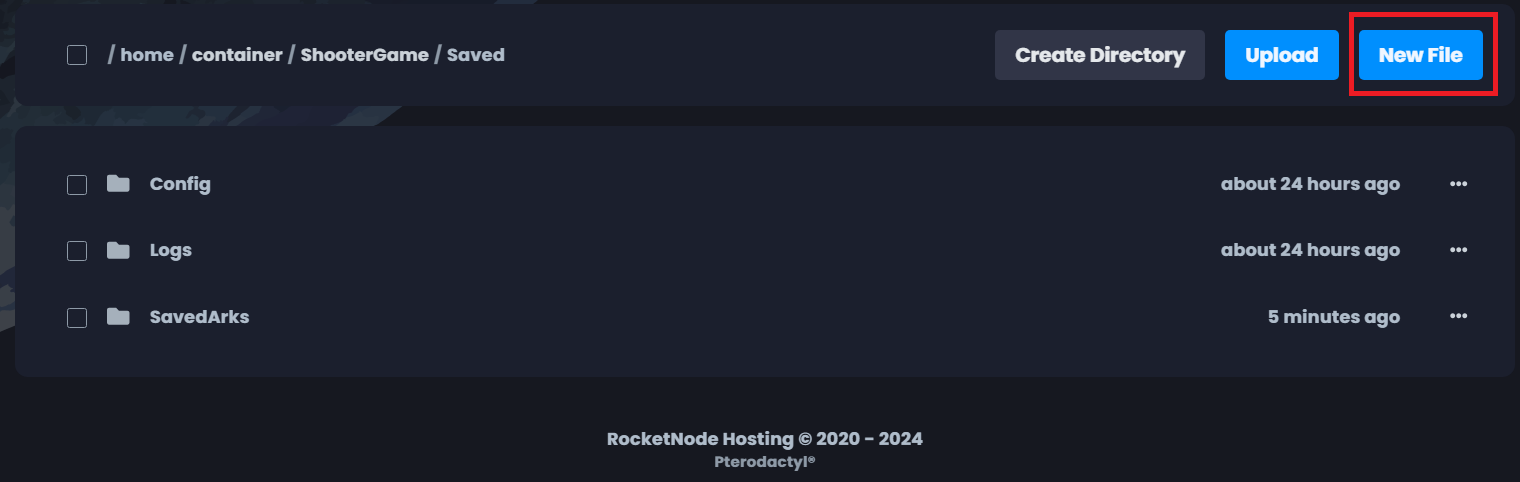
- On a new line, type the SteamID64 of each new admin and than press on Create File.
 )
)
- For the file name put
AllowedCheaterSteamIDs.txt.
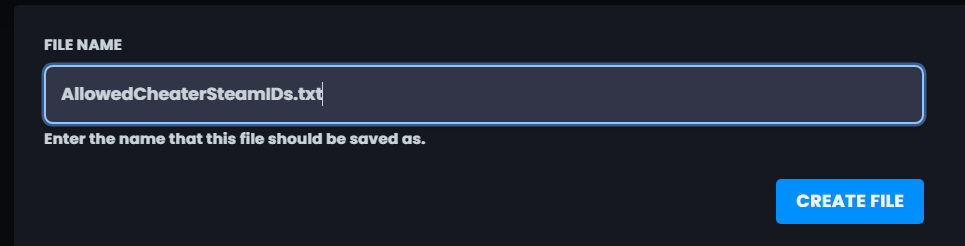
- Go back to Console and Start the server.
Note: If you do not know how to get someone’s SteamID64, click here.
Find out more about ARK server hosting with the help of our Knowledgebase articles that can be found here. For any questions please contact the support team via Discord or on-site Tickets.
