Rust Integrates Discord Social Features: What You Need to Know
 RocketNode Staff
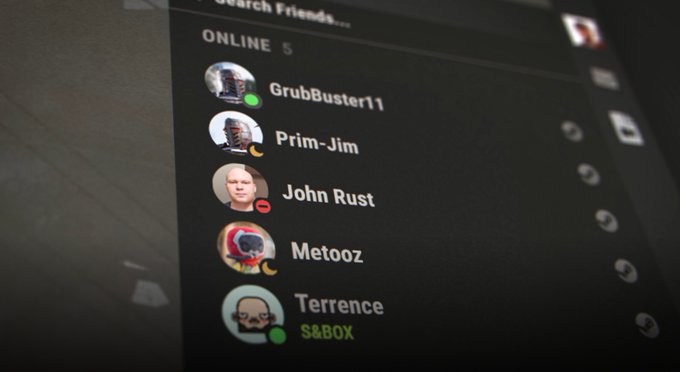
Rust just rolled out a major update to its social experience, teaming up with Discord to bring new features directly into the game. Players can now connect, chat, invite, and add friends without leaving the Rust environment.
How the New Discord Features Work in Rust
Rust's new integration eliminates the need to switch between tabs or external apps. Everything is handled inside the game, making communication faster and easier.
Key features include:
- In-game friend list synced with Discord friends
- Easy chat and invite options without tabbing out
- One-click sync between Steam and Discord accounts
- Streamlined social experience to stay focused on gameplay
How to Link Your Steam and Discord Accounts
If your accounts are not linked yet, setting it up is simple:
- Open Rust and head to the main menu
- Look for the option to sync your Steam and Discord accounts
- Follow the one-click setup to activate the new social features instantly
Why This Matters for Rust Players
This update is a big step toward making Rust's multiplayer experience even smoother. With Discord's tools now built into the game, players can:
- Form teams faster
- Coordinate raids and defenses more easily
- Stay connected with their gaming community without missing a beat
For competitive players and casual groups alike, this integration will help save time and keep the action moving.
Final Thoughts
Rust's partnership with Discord brings a long-awaited upgrade to the social side of survival gameplay. Whether you are building a main base or planning your next roam, communicating with friends just became a whole lot easier.
Ready to experience the new features? Make sure your Steam and Discord accounts are linked and jump back into Rust today.