

 Rustless than a minute read
How To Install Oxide on Your Rust Server
Learn how to install Oxide, the most known modding framework for Rust.

RocketNode Staff
Video Tutorial
Oxide serves as a foundational modding framework for Rust, providing server administrators with the ability to elevate their servers through the integration of plugins. This essential tool facilitates the development of modded Rust servers, allowing for the implementation of plugins geared towards moderation, customization, event management, minigames, and a wide array of additional functionalities.
Installing Oxide
- Log in to your RocketNode Panel account and the select the Rust server.
- On the left side, press on the Configuration button.

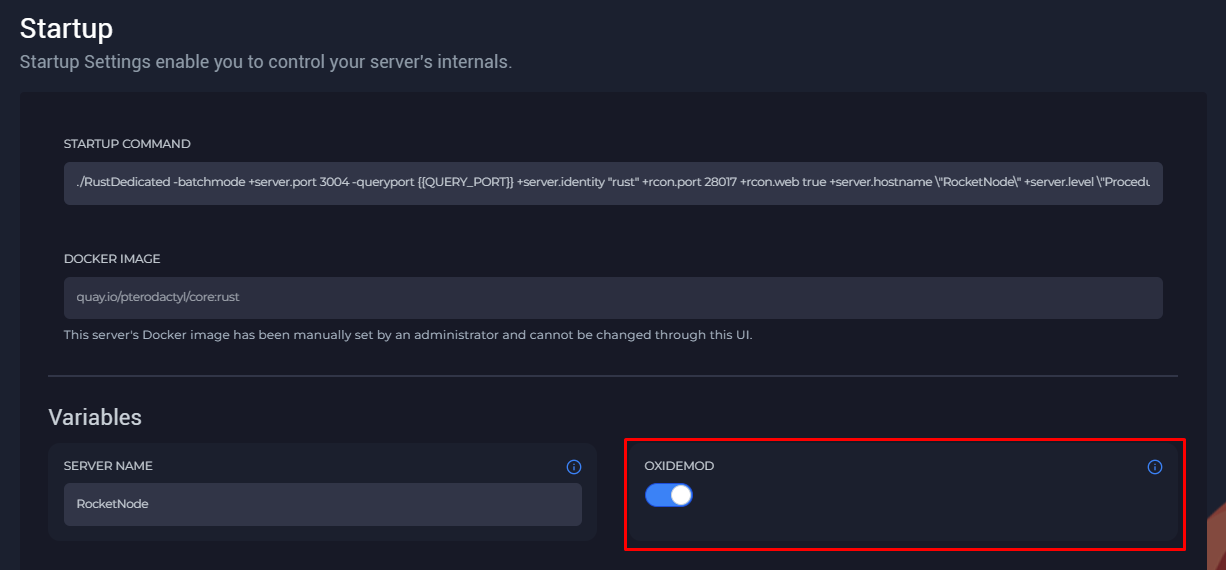
- Look for OxideMod and press on the button to turn blue and activate Oxide.
- Start the server and type oxide.version to check if Oxide was installed.
Find out more about Rust server hosting with the help of our Knowledgebase articles that can be found here. For any questions please contact the support team via Discord or on-site Tickets.
