

 Minecraftless than a minute read
Installing PaperMC for Your Minecraft Server
A straightforward guide to replacing your vanilla Minecraft server with the performance-optimized PaperMC.

RocketNode Staff
Video Tutorial
Why PaperMC?
Before diving in, here's a quick reminder of why PaperMC is a superior choice for many Minecraft servers:
- Performance Boost: Optimized game ticks, AI improvements, and efficient code for reduced lag.
- Bug Fixes: Community-driven fixes for vanilla Minecraft glitches.
- Plugin Compatibility: Supports most Bukkit/Spigot plugins.
Installation Guide
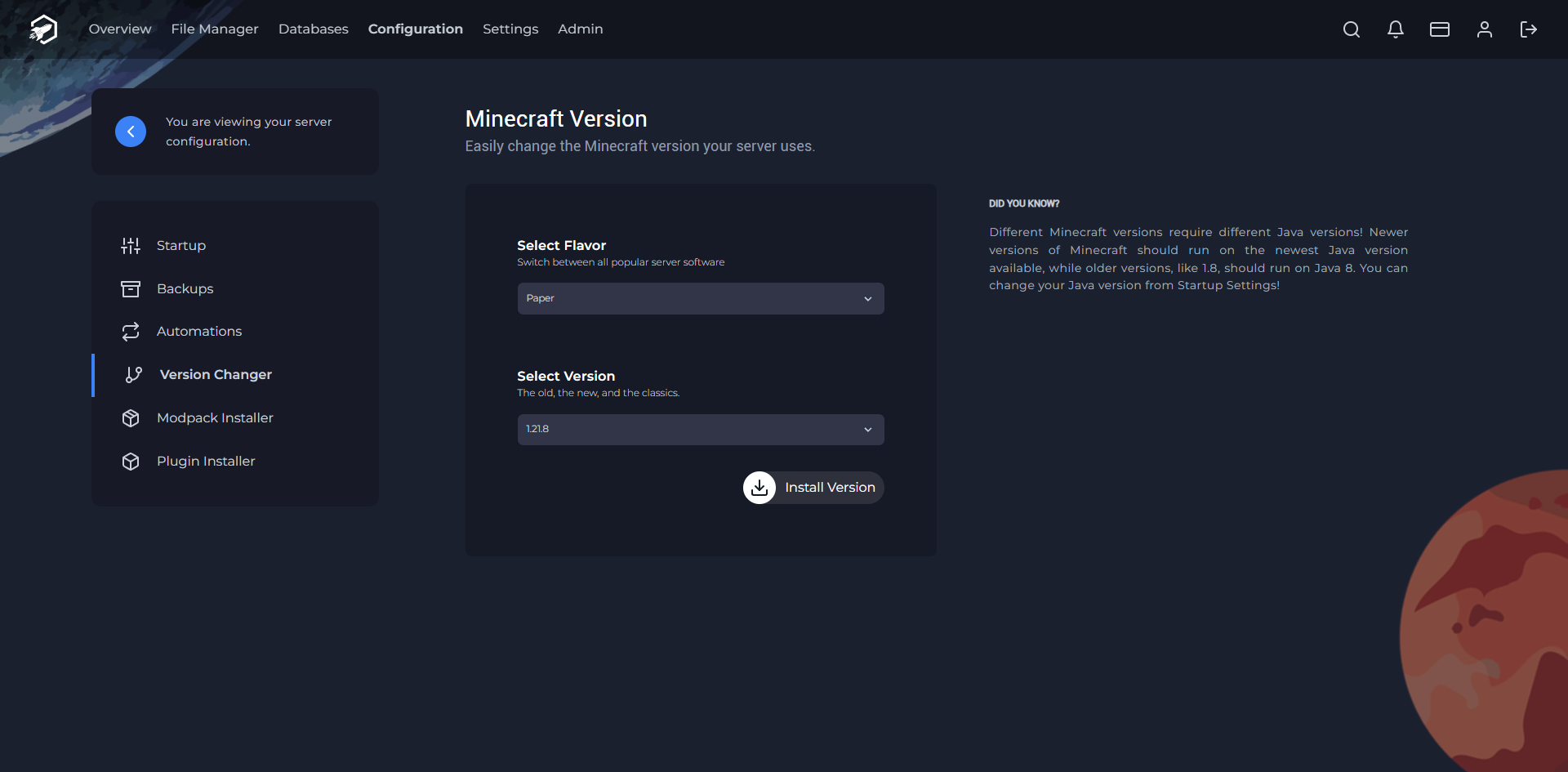
Installing PaperMC is surprisingly easy. Here's the process:
- Head over to the RocketNode Panel.
- Head to the Configuration tab.
- There, on the left panel, you will find the Version Changer section.
- Select Paper from the dropdown & the version you with to install.
- Click Install Version.
- After the version has finished installing, you can start your server as usual.
Find out more about Minecraft server hosting with the help of our Knowledgebase articles that can be found here. For any questions please contact the support team via Discord or on-site Tickets.
